
Better reports in. Safer reports out.
Smart intake helps residents pick the right request type and fills in the details. Content review flags threats and abuse, blurs faces and license plates, and applies your policy before anything goes public.
What it does
Easier for residents. Safer for everyone.
Spot Assist helps at two moments. Smart intake works while residents write a report: it suggests up to three request types, and once the resident picks one, fills in its details from their photo and words. That means fewer missing details and miscategorized requests. Content review runs on its own once they submit. It blurs faces and plates before anything goes public, keeps threats and abuse away from staff, and holds or blocks what your policy says to. Staff step in only for reports that need a person.
Smart intake
While they report, before they submit- Suggests up to three of your request types as a resident adds a photo or description
- The resident always picks and confirms the type. Assist never chooses it for them.
- Once they've chosen, fills in that type's detail fields from the photo and text
- Marks the suggested types, and residents can change any answer before they submit
- Reports arrive in the right queue with the details a crew needs
Content review
After they submit, before anyone else sees it- Flags threats, abuse toward staff, hate speech, harassment, doxxing and spam, each with a severity and a reason in plain words
- Holds or blocks reports by your policy. Blocked reports wait for review, and nothing is deleted.
- Blurs faces and license plates on the public site. Crews and staff see the original when the job needs it, like parking enforcement.
- Originals are stored securely, and your policy sets who may see them
How it works
Two moments, one report.
Smart intake is part of writing the report, so it arrives in the right type and complete. Content review comes after they submit, on the server, before anyone else sees it.
Adds a photo or a few words
In the Spot app or on the web portal.
Suggests types, then fills in the form
Offers up to three of your request types. The resident picks one, then Assist fills in its detail fields. They check and submit.
Reviews the content
Flags threats and abuse and blurs faces and plates. Every finding comes with a reason.
Decide what happens
Reports are held or blocked by your policy and wait for review. Every case still goes to the right team.
- Public: a clean map, blurred photos
- Crews: original photos in Spot Workers when the job needs them
- Admins: findings, reasons and originals
Smart intake
They pick the type. Assist fills in the rest.
Residents often pick the wrong request type or skip the details a crew needs, and staff end up calling them back. Smart intake reads the photo and the description as the resident reports and suggests up to three types from your own list. The resident picks and confirms one, and only then does Assist fill in that type's detail fields.
- Up to three of your request types, best match first
- The resident always confirms the type, so they stay in control
- Detail fields filled in after they choose, from the photo and the words
- Residents can change any filled-in answer before they submit
- Works with the request types and questions you already have
The result: reports that land in the right queue, with fewer callbacks and cleaner data.
Content review · your policy
You decide what gets blocked.
Content review checks every submitted report against categories written in plain language. Each one says what it covers and what it doesn't, so a report about hateful graffiti is a service request, not hate speech. You check the categories that should block a report and set how serious a finding has to be.
- One severity threshold for your whole policy
- A count of reports in each category, so you see what's coming in
- Findings outside your policy are noted on the report, never blocked
It also notes what staff want to know, not just what to block:
Vulgar language, insults or hostility aimed at staff or the service. Frustration alone is not abuse.
A stated or implied intent to harm staff or anyone else.
Demeaning language about a group. Reporting hateful graffiti is a normal request.
Targets a private person by name, handle or address rather than reporting a problem.
Identifying details beyond what a request needs. A location or a plate in a street photo is not this.
Advertising, scams or unrelated solicitation through the 311 channel.
Content review · for your staff
Every decision explained.
Review you can't see into is review nobody trusts. On every report, staff see what Assist found, how serious it is, why, and whether your policy blocked it.
- Each finding has a severity and a reason in plain words
- A clear line says whether your policy matched, or the finding was only noted
- Blocked reports are marked Needs Review, so nothing waits unseen
- Staff can block a report themselves from its activity panel
"Some s*** was dumped on my lawn. I'm going to sue you losers. And if that doesn't work, I'll bring my hammer to your office."
- Type of item
- Auto parts
- Location details
- Curbside
Uses profanity and insults city staff directly.
"I'll bring my hammer to your office" states an intent to show up with a hammer, an implied threat to staff.
Describes dumped material but gives no address, so a worker would need to follow up first.
Policy matched Profanity or Abuse Toward Staff and Threat of Violence: blocked.
How we built it
Your city stays in charge.
Assist makes suggestions and applies your policy. It doesn't make policy for you.
Nothing is deleted
Blocked reports are still cases. Original text and photos are kept for authorized review.
Your rules, your types
It works with the request types, detail questions and routing you already have. No new categories to adopt.
Residents have the last word
Assist suggests. Residents choose the type and can change every answer before they submit.
Works with what you run
Part of the Spot platform, so it covers reports from every channel and connects to your CRM through Spot Cloud.
In development
Where Assist goes next.
We're building these with our first Assist cities. Want in? →
- Classification guidance tested on your past reports
- Content review findings in routing and upstream systems
- Rewording abusive text for staff
- Summary titles and priority
- AI duplicate detection across reports
- Analytics and reporting
See it
In the app and the admin.
-
 1
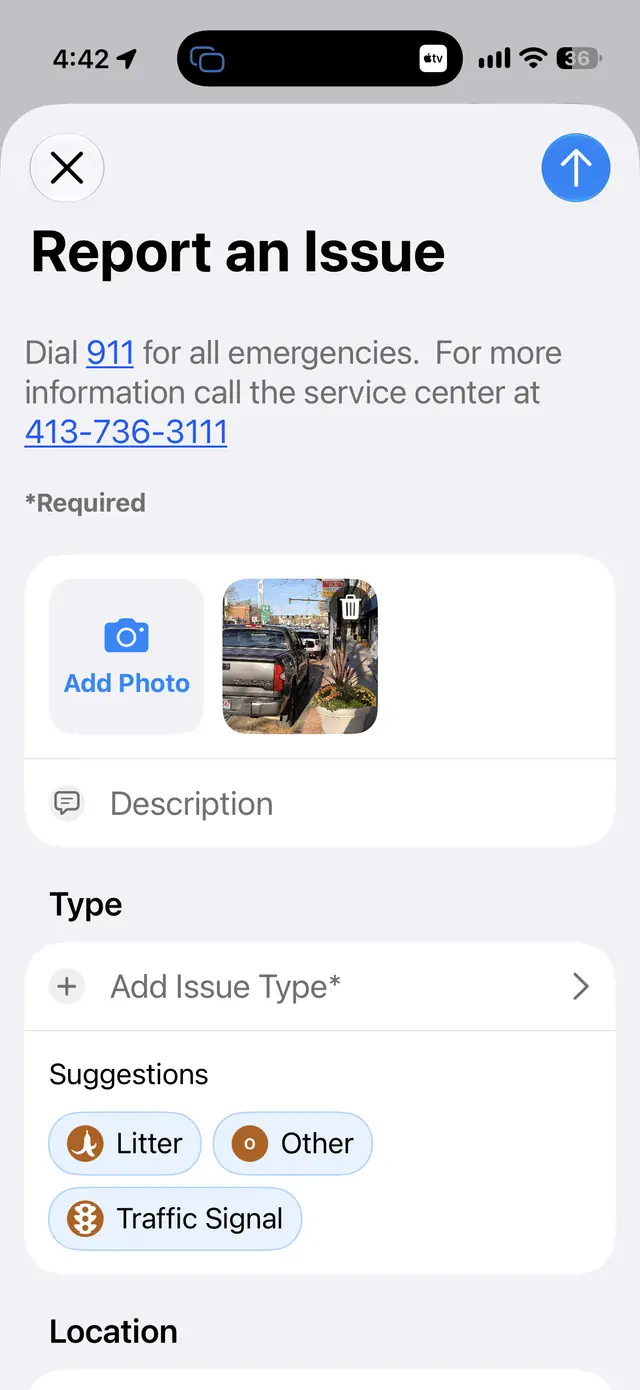
Add a photo
The resident snaps the truck parked on the sidewalk.
- 2
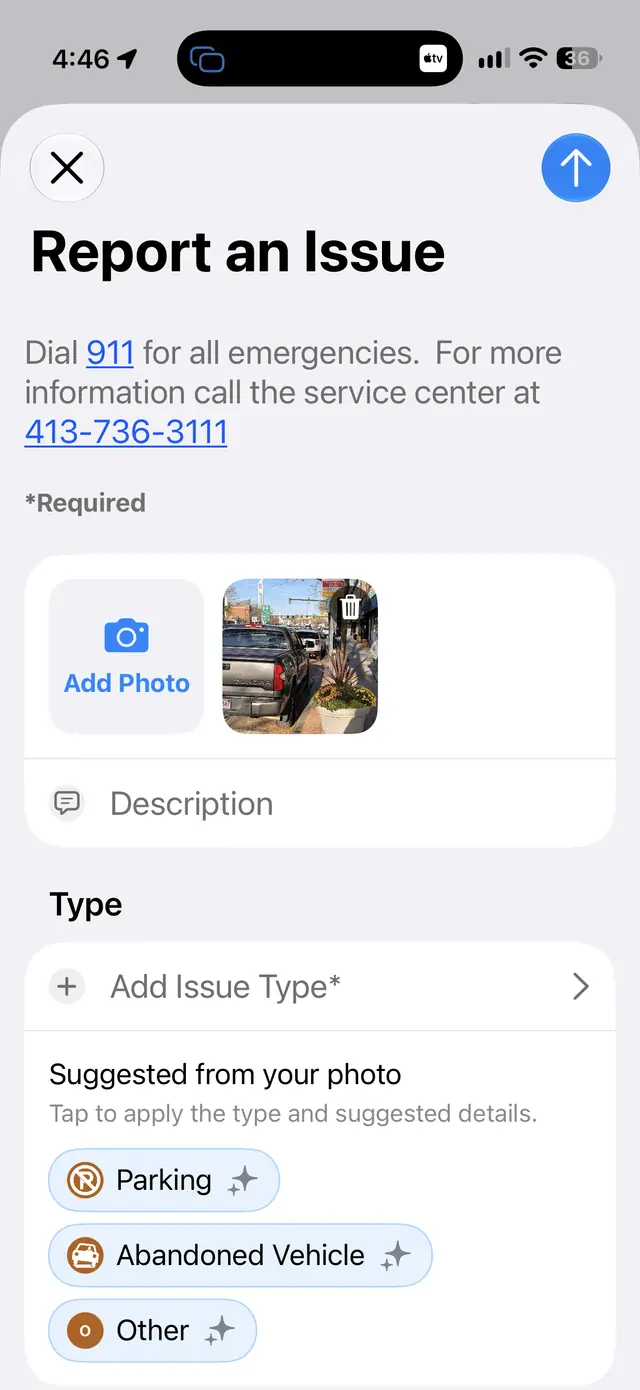
Pick from suggestions
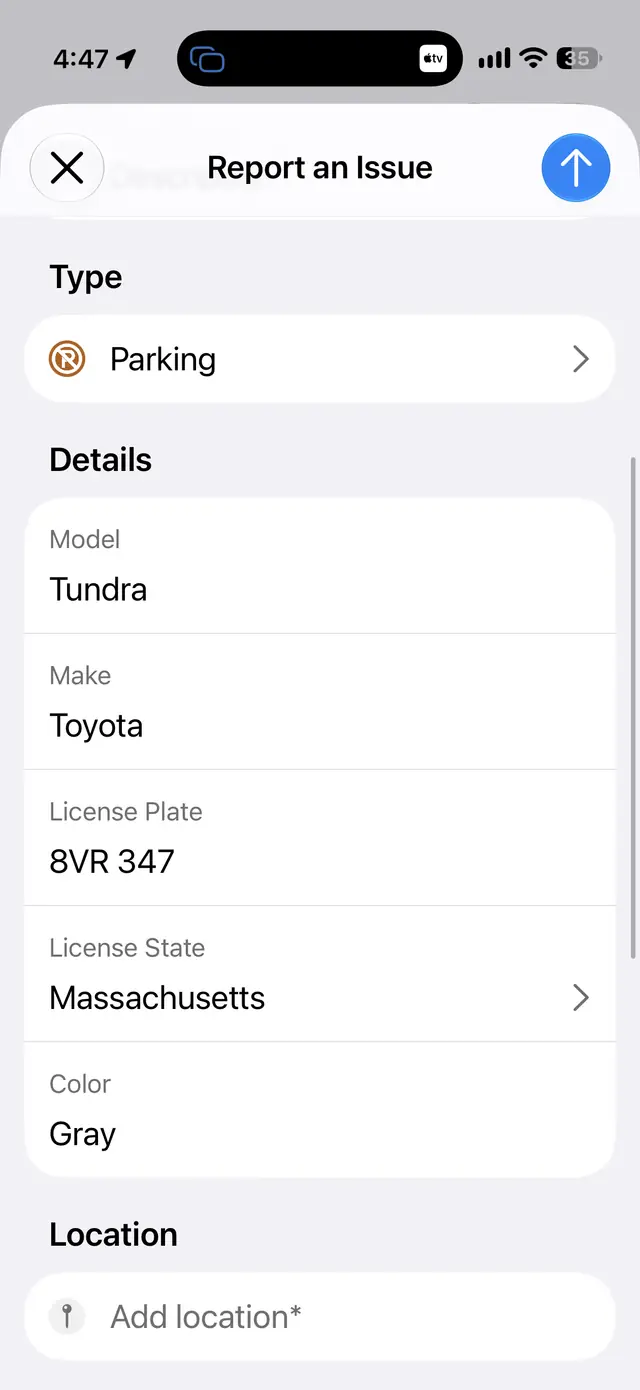
Assist suggests Parking, Abandoned Vehicle or Other from the photo.
- 3
Details fill in
Make, model, plate, state and color come from the photo. The resident checks and sends.
-
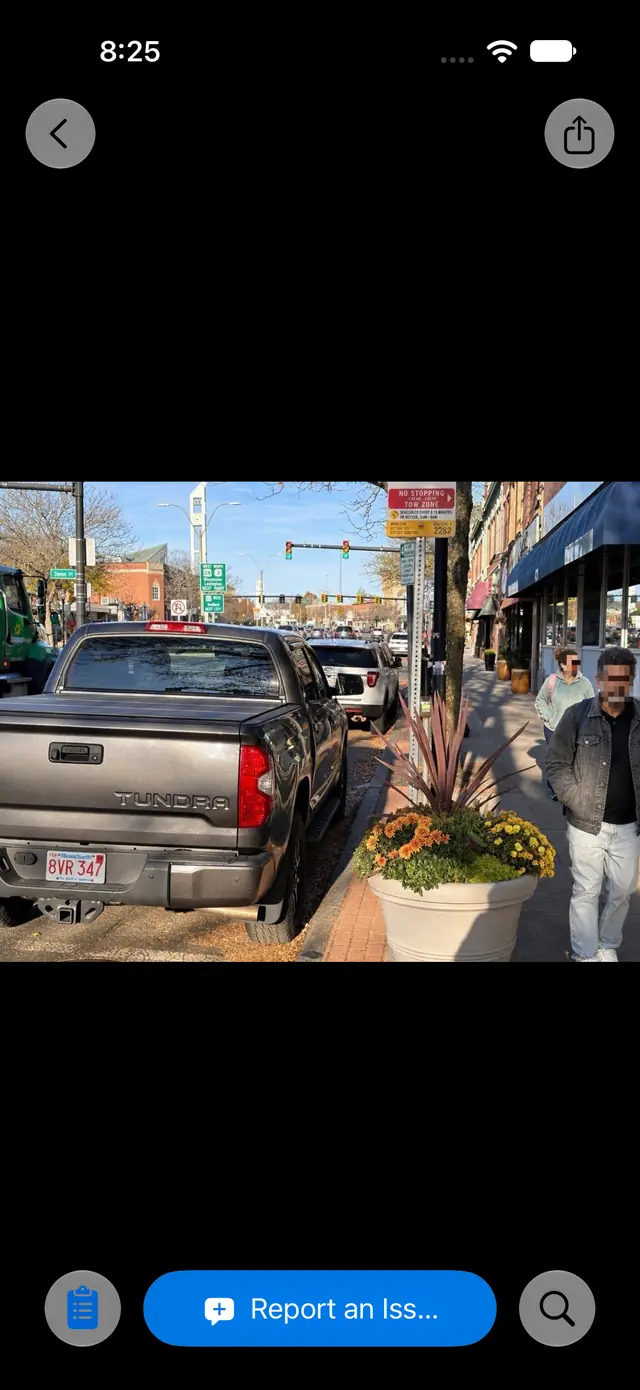 4
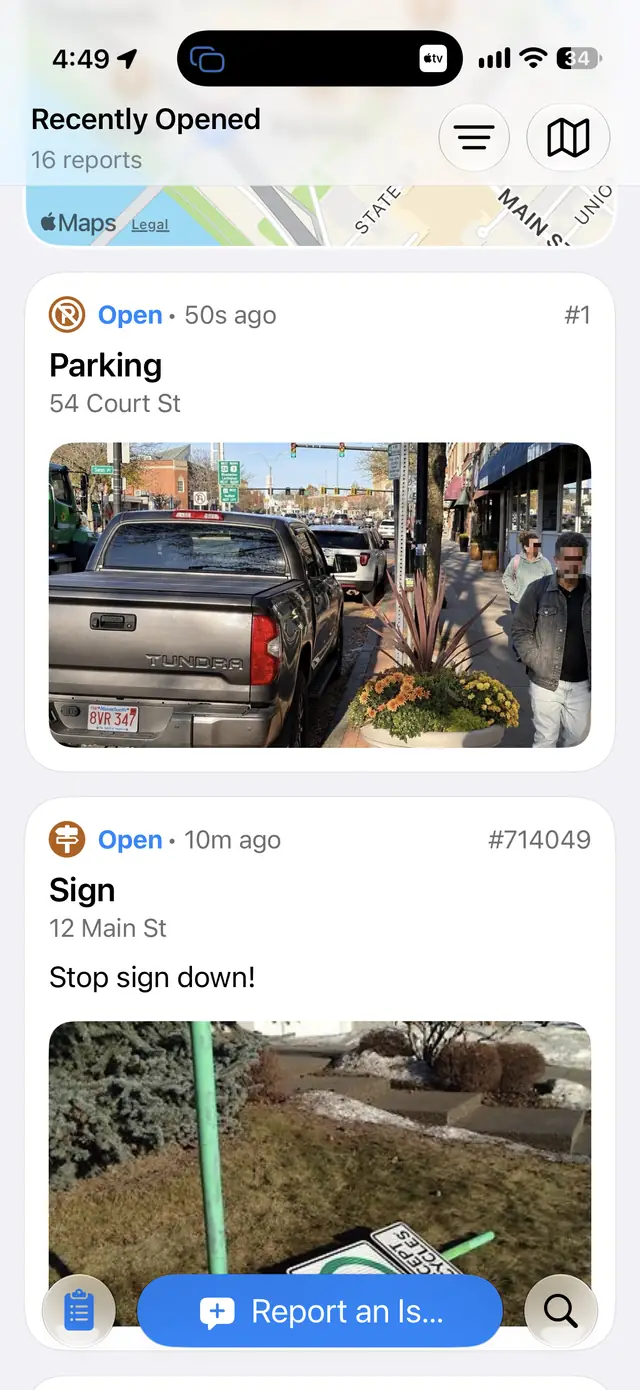
Faces blurred
On the public report, bystanders' faces in the photo are blurred.
Spot Admin
Content review JM 
"Some s*** was dumped on my lawn. I'm going to sue you losers. And if that doesn't work, I'll bring my hammer to your office."
"I'll bring my hammer to your office" states an intent to show up with a hammer, an implied threat to staff.
Uses profanity and insults city staff directly.
Matched your policy: blocked. The case still routes to Street Services.
More from Spot
Spot Tags
QR asset tags on streetlights, bins and benches. Residents report without an app, and the report arrives knowing the asset.
Learn more → Also from SpotFor Verint cities
Modern resident and field apps on the Verint system you already run.
Learn more → The platformSpot Cloud
The integration layer that connects residents and crews to your CRM, GIS, asset and work order systems.
See the platform →See Assist on your own reports.
We'll walk through smart intake and content review on real examples, and show you the rules and admin views your staff would use.
Or email info@connectedbits.com