
Report it where it is.
A QR tag on the streetlight, the bin, the bench. Residents scan it with their phone camera, tap what's wrong and send. The report arrives knowing exactly which asset it is, so it reaches the right crew the first time.
- No app to install
- No account
- No address to type
- No category hunt
Better context
The tag does the describing.
A resident shouldn't need to know a pole number or which department owns it. Tags supply those details from the city's asset record, so your crews and routing rules get the facts they need.
- Exact location
- Elm St at 3rd Ave
- Asset type
- Streetlight
- Asset ID
- SL-20417
- Routing facts
- Pole type, owner, district
- Open reports
- 1 today
Choose the problem.
Add an optional photo.
Duplicates collect on the asset instead of piling up across the map, and residents can see it's already been reported.
Shorter forms
The exact asset on every report.
Because the tag already knows where the resident is standing and what they're looking at, every report carries the asset ID, and most of today's form has nothing left to ask. The tag answers the location, the asset and the details. The resident answers one question.
- 1 Drop a pin or type an address
- 2 Nearest cross street or landmark
- 3 Which side of the street?
- 4 Light type
- 5 Pole number
- 6 Pole material
- 7 What's wrong?
Filled in by the tag: location, asset type, ID and the facts used for routing.
Illustrative form.
How it works
From a sticker to a closed case.
Crews tag an asset once. The resident's steps need nothing installed, Spot Cloud routes the report on its own, and the crew finishes the job in Spot Workers. Tags come pre-encoded on rolls from us; you choose the logo, web address and shape.
- 1
Tag
Crews stick a pre-encoded tag from a roll we supply and scan it once to link it to the asset. A short code is printed as a fallback.
- 2
Scan
Any phone camera opens a city web page that already knows the asset. No app required.
- 3
Tap
Residents pick from the problems that type of asset can have, and add a photo if they like.
- 4
Route
Spot fills in the report, asset ID included, and your existing rules send it to the right queue.
- 5
Repair
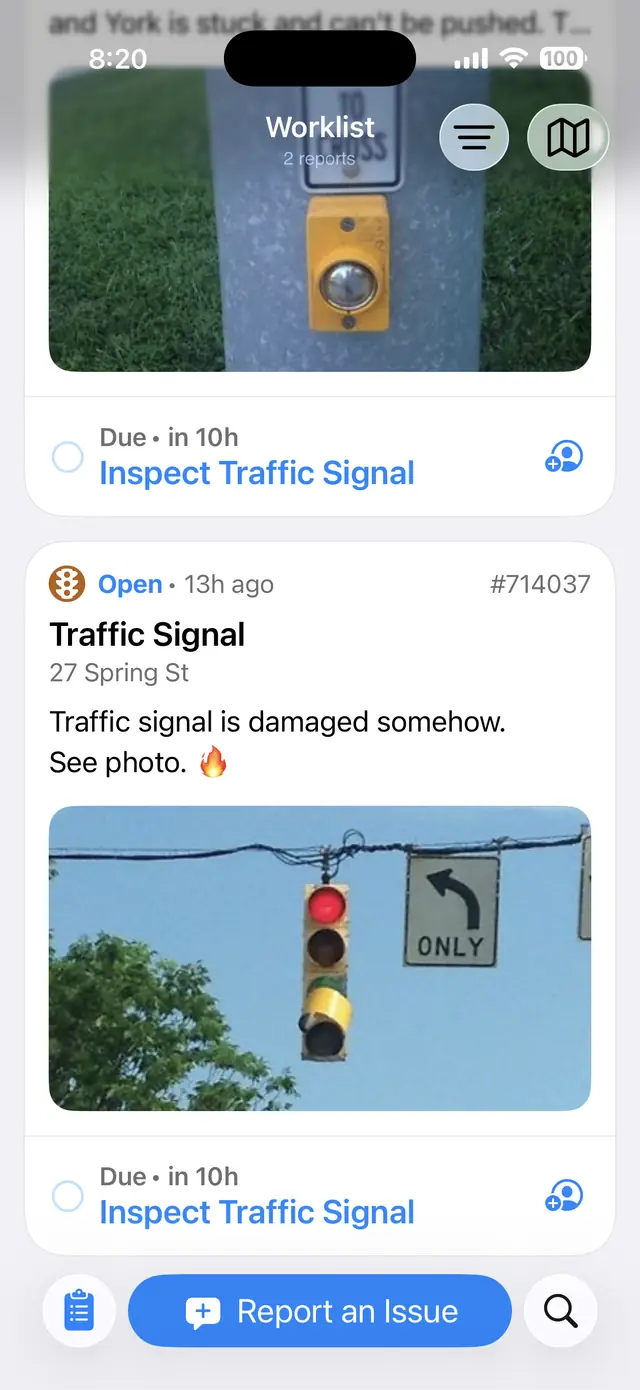
In Spot Workers the crew sees the asset, every open report on it and its repair history, then scans the tag on arrival.
- 6
Close the loop
Crews complete the linked job in Spot Workers. Completion updates every report tied to that job and tells each resident.
Who it helps
Easier to report. Faster to fix.
Residents
- Scan with the camera they already have. No app, no sign-up.
- Nothing to describe: the tag fills in location, asset and ID.
- See if it's already reported, and get a case number.
- The page follows the phone's language.
- Optional updates when it's fixed, still with no account.
Field crews
- The exact asset, not an approximate map pin.
- Every open report on that asset in one job. Where a fault stays visible, a third to half of reports can be repeats.
- Repair history at a glance, so repeat faults stand out.
- Scan the tag on arrival to confirm the right asset.
- One completion closes every linked report.
The city
- Routing facts live on the asset, so ownership is never the resident's guess.
- Asset IDs land in the fields your CRM already has.
- Your existing case types and routing rules do the work.
- A fault record per asset to guide repair and replacement.
- Reports from people who would never install an app.
Routing
One tag, the right queue.
Who fixes a problem often depends on a fact the resident can't see, like whether a streetlight sits on a utility pole or a city pole. The tag carries that fact, so the report goes to the right team without a hand-off.
| Tagged asset | Resident taps | Fact on the tag | Goes to |
|---|---|---|---|
| Streetlight | Light out | Metal pole, city-owned | → City electrical |
| Streetlight | Light out | Wooden pole, utility-owned | → Utility streetlight team |
| Litter bin | Overflowing | Collection contract zone | → Hauler for that zone |
| Litter bin | Tipped over or damaged | City-owned bin | → Street services |
| Any asset | Graffiti | Inside a park boundary | → Parks maintenance |
Example routing. Each city sets its own rules; Spot passes the asset's facts to them.
Where tags fit
Anything fixed, public and fixable.
Tags work wherever there's a known object in a known place, a short list of likely problems and a rule for who fixes each one. That covers much of a city, and plenty beyond 311: transit agencies, utilities, parks, business districts and campuses.
Where to start: one asset class with stable records and a clear maintenance owner, such as streetlights, signs or litter bins.
Tags are for non-emergency repairs. For anything urgent, like an open hydrant or a dark signal at a busy intersection, residents should still call 911.
- Streetlights
- Traffic signals
- Litter and recycling bins
- Parking meters and pay stations
- Signs and sign posts
- Benches and kiosks
- Park restrooms
- Transit shelters
- Street trees
- Hydrants
- EV chargers
Works with what you run
No new back office.
Tag reports flow through Spot Cloud into the systems your city already uses, as ordinary cases with the asset attached. If you don't have a CRM behind 311, Spot Workers can run the work on its own.
- Connects to CRM, GIS, asset management and work order systems, including Verint, Salesforce, SAP, Motorola CSR and Maximo
- Asset IDs map to your existing object fields, with no new case types
- Open311 support for cities and partners with their own front ends
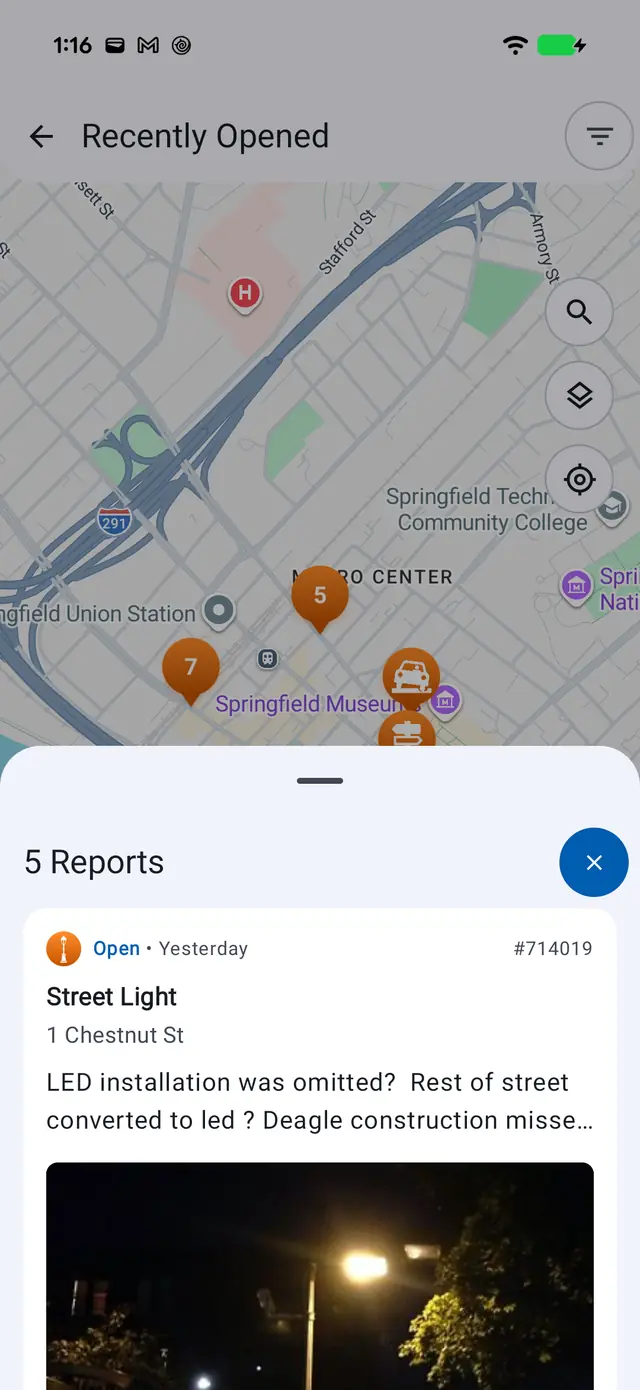
- Same platform as the Spot Reporters app and web portal, so reports from every channel land in one place
Built for the street
Tags people can trust.
QR scams have made people wary of codes on public objects. Spot Tags are designed so residents can tell they're real, and so they hold up outdoors.
Clearly the city's
Your logo and your web address lead the tag, with only a small Spot Reporters mark. The landing page matches it, and both carry a plain "reports only, never payment" promise.
Made for outdoors
Pre-encoded, serialized rolls on outdoor vinyl, in shapes for flat panels and narrow poles. A printed short code works if a code gets scratched.
Scan or tap
QR works with any phone camera. NFC is an option on the same tag for a tap-to-report experience.
Saw a Spot Tag in the wild? Bring them to your city, campus or district. Talk to us →
See it
On the street and in the field.


More from Spot
Spot Assist
Smart intake helps residents file the right request. Content review checks every report before anyone else sees it.
Learn more → Also from SpotFor Verint cities
Modern resident and field apps on the Verint system you already run.
Learn more → The platformSpot Cloud
The integration layer that connects residents and crews to your CRM, GIS, asset and work order systems.
See the platform →See a tag in action.
Scan a demo tag and follow its report from intake to completion. Tell us which asset class and backend you'd start with.
Or email info@connectedbits.com